

All-in-One Exam Management for ICSE, CBSE, and State Board Schools
Schools issue many certificates throughout the year, and handling them manually can be time-consuming. VIDYAOne School Software makes the process simple and organised with ready-to-use formats for transfer certificates, bona fide certificates, fee certificates, merit certificates, sports certificates, and staff service records. Each certificate is generated using the data already stored in the system, ensuring accuracy and saving valuable time.
With clear menus and easy workflows, your team can select a format, verify or fill the required fields, and print the final certificate within minutes. Whether your school follows UP, MP, CBSE, or state-board formats, the system maintains consistency and avoids common documentation errors. Each certificate prints clean, professional, and ready for official use.
Easy Exam Planning and Timetable Creation
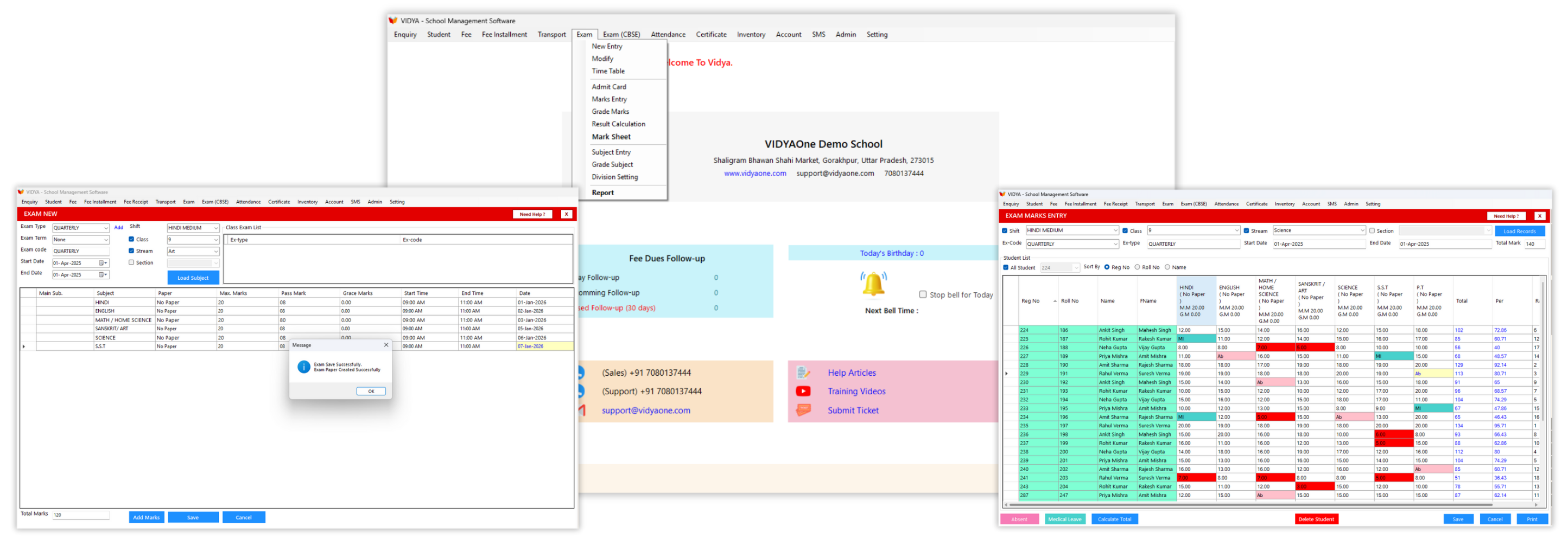
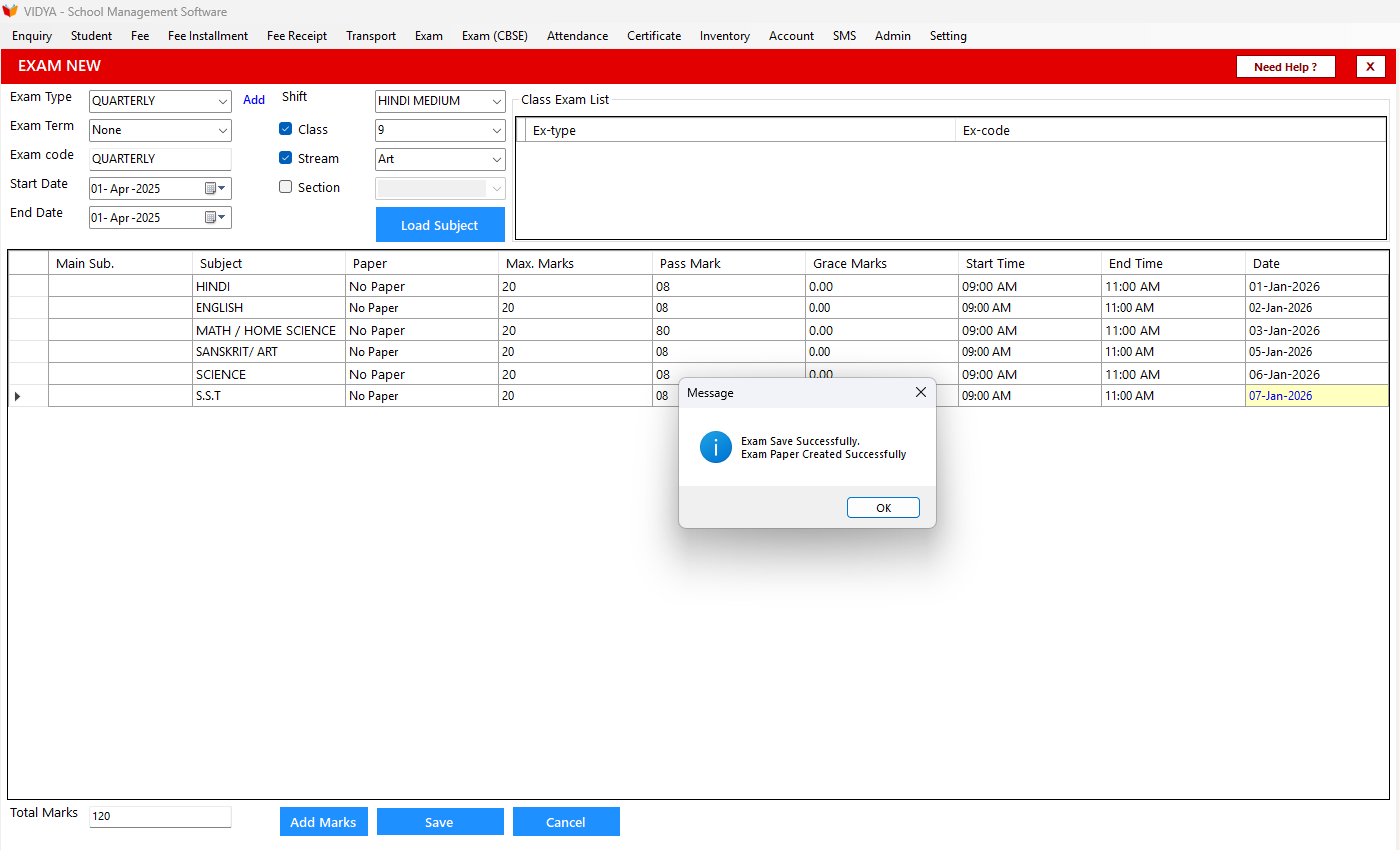
Schools can define each exam term and structure with ease. Staff select the exam type, term, shift, and class, then load the subjects assigned to that class. Once the subjects appear, you can enter maximum marks, pass marks, grace marks, start time, end time, and the exam date for each subject.
All subjects are shown in a clear list, making it simple to prepare complete timetables. Each exam structure is saved for future sessions, ensuring consistency and reducing repeated work. This helps schools plan assessments early and share accurate schedules with teachers and parents.
See VIDYAOne in Action
Explore the complete school management software in real time. Take a guided Virtual Tour or book a Live Demo to see how it works for your school.
Manage Scholastic and Co-Scholastic Subjects
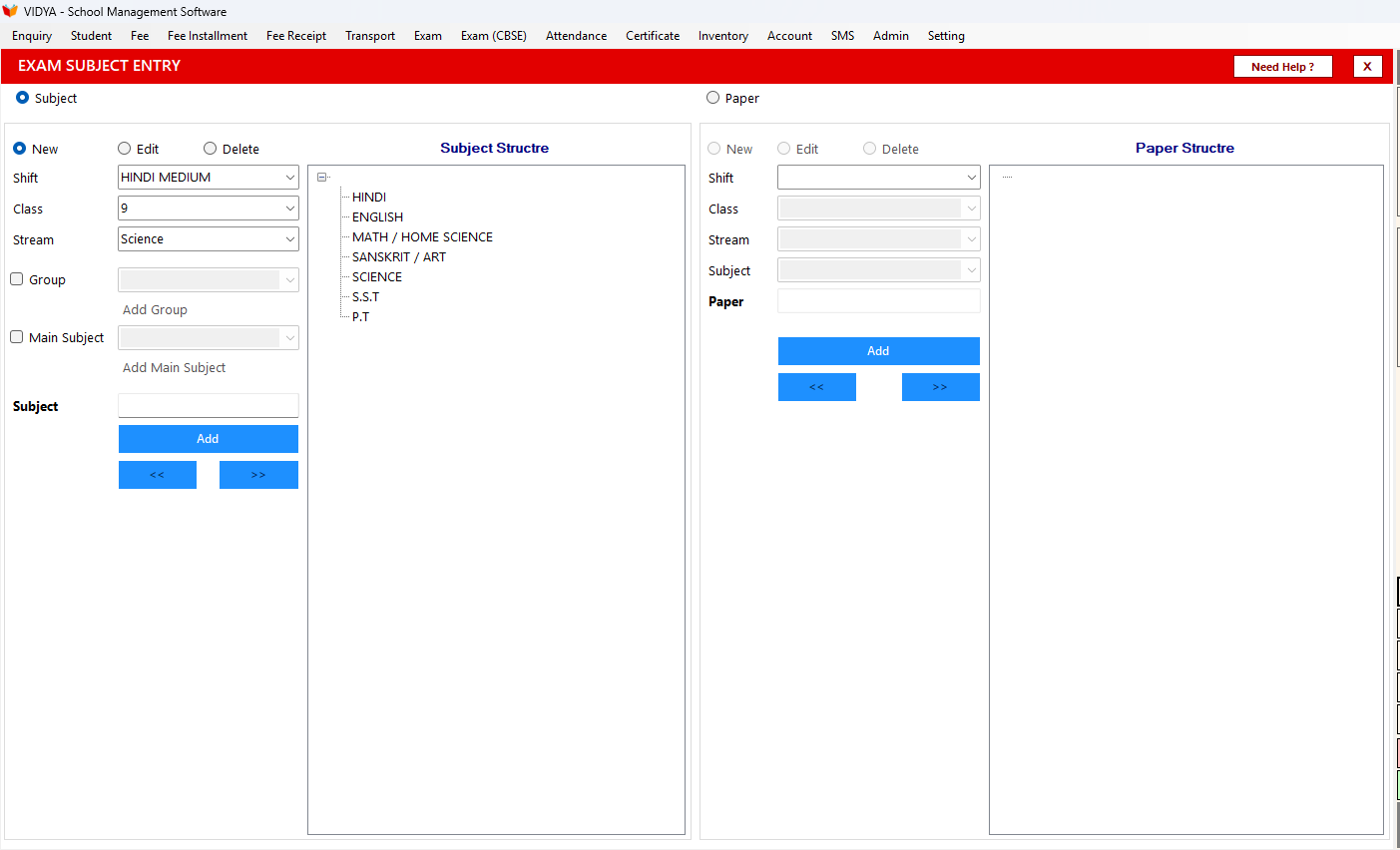
VIDYAOne School Software lets schools create and manage scholastic and co-scholastic subjects for every class. You can add academic subjects like Mathematics, English, Science, and Social Studies, along with co-scholastic areas such as Punctuality, Behaviour, and Sports.
Subjects are organised in a simple tree structure where you can add, edit, or group them under main subjects. Once exams are set for a class, the system locks the structure to keep it consistent. This ensures accurate mark entry and avoids confusion during result preparation.
Need immediate help?
Connect with us directly while you wait for onboarding.
Manage Grades, Divisions, and Pass Rules
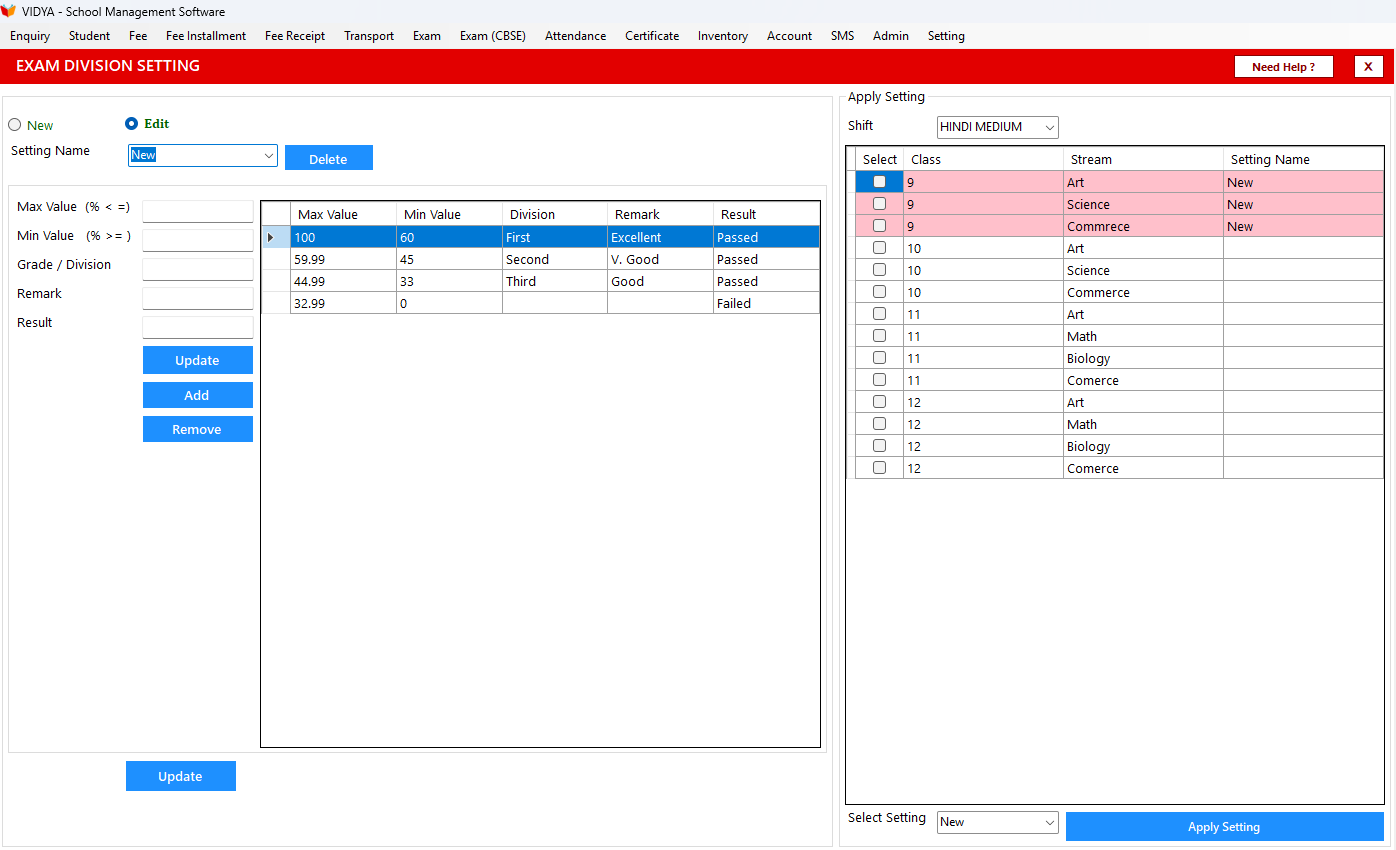
The grading and division setup helps schools control how results are evaluated. You can set percentage ranges, assign divisions like First, Second, or Third, and add simple remarks such as Excellent, Very Good, or Needs Improvement. Each grade range can also be linked to an outcome, like Passed or Promoted.
All grading rules appear in a clean table where you can add, edit, or remove entries whenever needed. This allows schools to follow their own evaluation pattern or match board guidelines. Once saved, these rules apply automatically during result calculation, ensuring report cards are accurate and consistent.
1,500+
Schools Using VidyaOne
10,000+
Staff Trained
150K+
Issues Resolved
550K+
Feedback Calls