

A Faster Way to Manage Class Sections, Roll Numbers and Siblings
Manage all post-admission tasks with clarity and speed. VIDYAOne School Software helps your team assign sections, generate roll numbers and link siblings under one family profile. Everything stays organised so classes start smoothly and records remain accurate.
The system is designed to simplify day-to-day administrative tasks. Instead of juggling spreadsheets or making manual entries, your staff can use clear on-screen tools that guide them through every step. Once updates are saved, the information is instantly reflected across the system. This reduces confusion, prevents errors and keeps your student database clean and ready for academic use.
Assign Student Sections
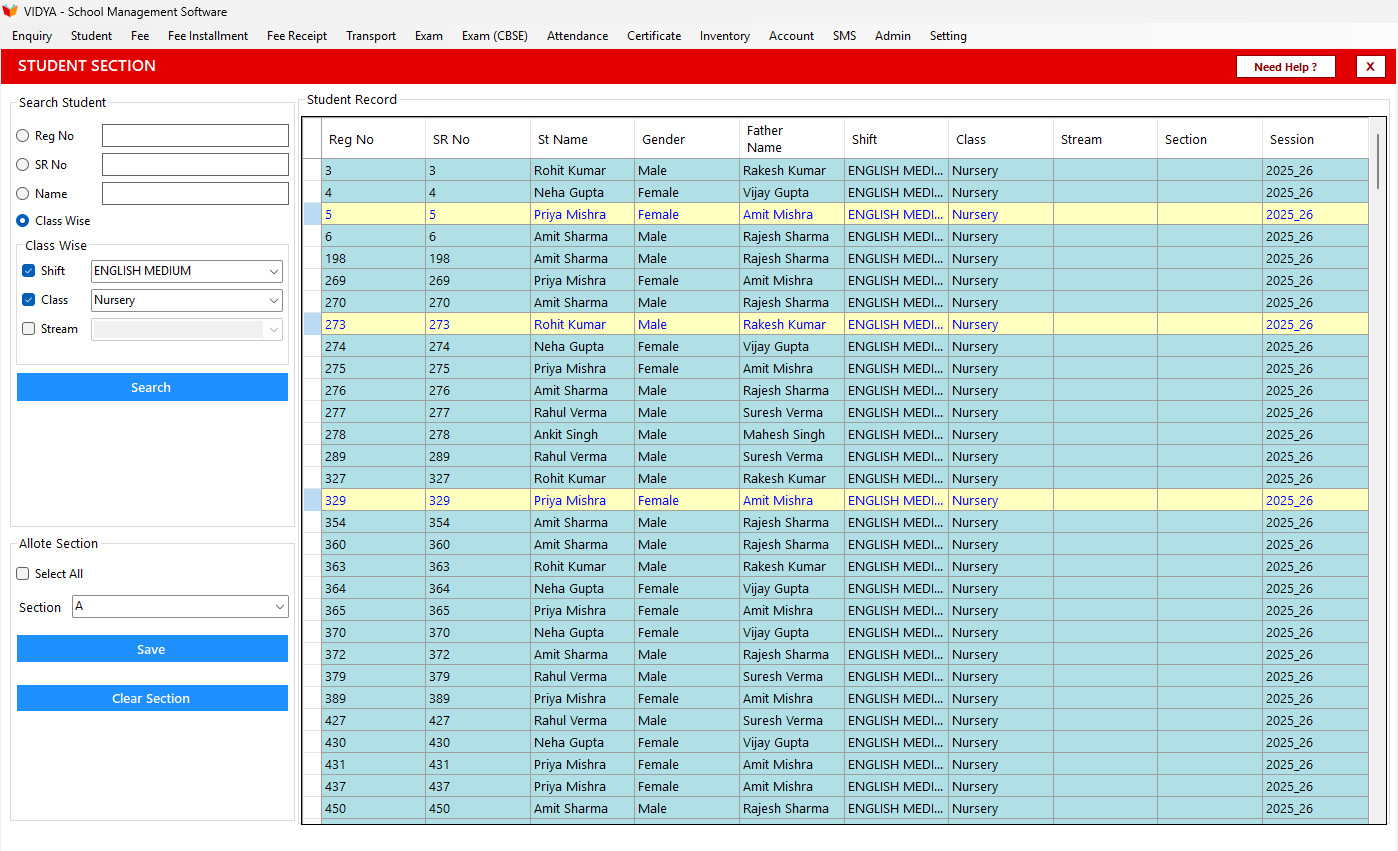
Assigning sections is one of the most important tasks after admissions. VIDYAOne School Software makes it quick and simple for staff members. All they have to do is load a class, review the list of students, and choose the appropriate section. The process takes just a few clicks, and the bulk assignment option ensures that large classes can be handled without delays.
Editing is equally easy. If a student needs to be moved to another section, the system allows updates without affecting the rest of the class structure. This keeps section lists accurate and helps teachers start the academic year with complete clarity. Because everything is handled through a structured workflow, the chance of mistakes is greatly reduced.
See VIDYAOne in Action
Explore the complete school management software in real time. Take a guided Virtual Tour or book a Live Demo to see how it works for your school.
Generate and Manage Roll Numbers
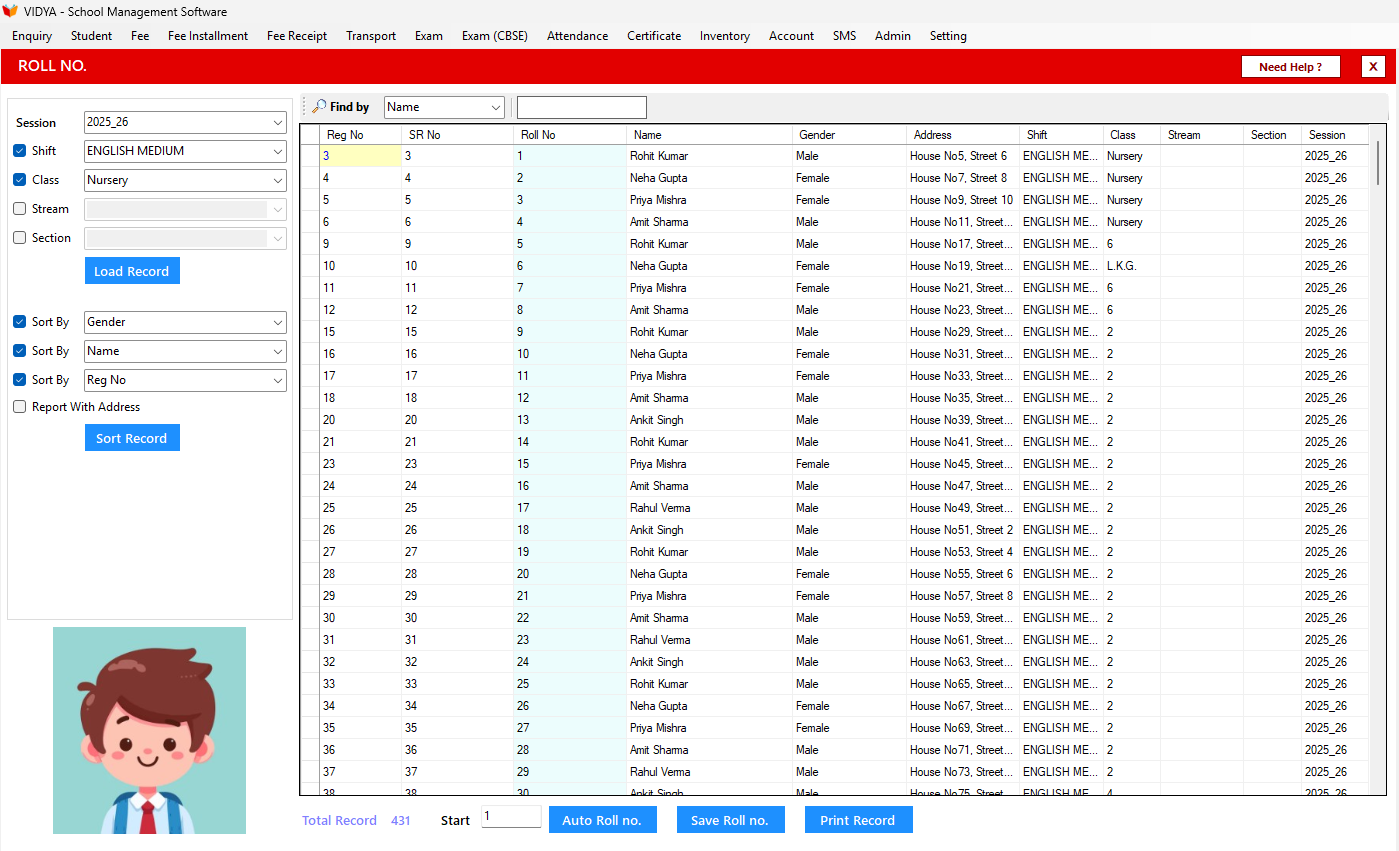
Roll number assignment becomes much more organised with VIDYAOne School Software. Staff can load students by session, shift and class, sort them in the preferred order and generate roll numbers automatically or manually. The flexibility makes it easy for schools to follow their own format, regardless of class size or sorting rules.
The software supports sorting by name, gender, registration number or SR number, so you always get the sequence you want. You can apply roll number prefixes when needed and make manual edits for specific cases. Once the list is final, simply save it and print a clean, class-wise roll number sheet for teachers. This removes the hassle of maintaining handwritten lists and ensures that everyone starts the session with the correct information.
- Sort by name, gender, reg no or SR no
- Auto roll number generation
- Roll number prefix option
- Manual editing when needed
- Save and print clean class-wise roll lists
Need immediate help?
Connect with us directly while you wait for onboarding.
Link Siblings Under One Family Profile
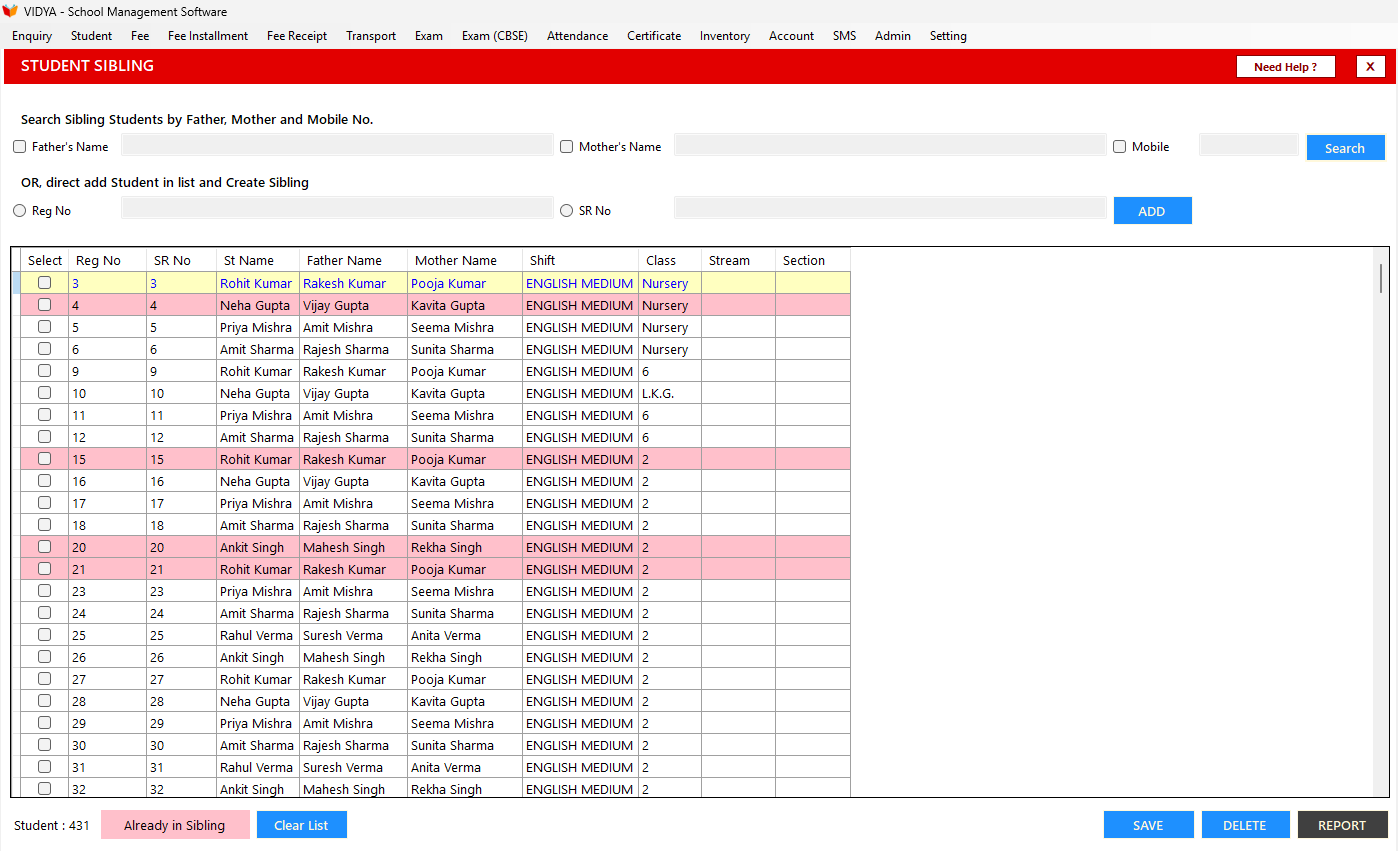
Keeping family records connected becomes much easier when siblings are grouped properly. VIDYAOne School Software allows staff to search for students, select the related siblings and save them under a single family profile. The system also highlights duplicate entries, helping you maintain clean and accurate data.
Once siblings are linked, it becomes easier for the school to manage communication and administrative tasks for the family. All related records stay neatly organised, and staff can access the information whenever needed without searching through multiple lists. This small but powerful feature supports better coordination and keeps your database well structured.
1,500+
Schools Using VidyaOne
10,000+
Staff Trained
150K+
Issues Resolved
550K+
Feedback Calls