

Smarter Marks Entry and Admit Card Preparation
Managing exam records is much easier when everything follows a clear, organised workflow. VIDYAOne School Software gives teachers simple and reliable tools to enter marks, record grades and generate admit cards for every class. Whether the exam is periodic, half-yearly, annual or board-specific, the system helps your team work faster while maintaining complete accuracy.
Marks are entered directly against each subject, totals are calculated automatically and student rankings appear instantly. Grade entries for CBSE, ICSE and state-board formats are equally easy, allowing schools to update co-scholastic indicators without error. When exams are approaching, admit cards can be printed in clean, professional formats for all students in just a few clicks. Everything stays organised and ready for use throughout the examination period.
One-Click Admit Cards for All Classes
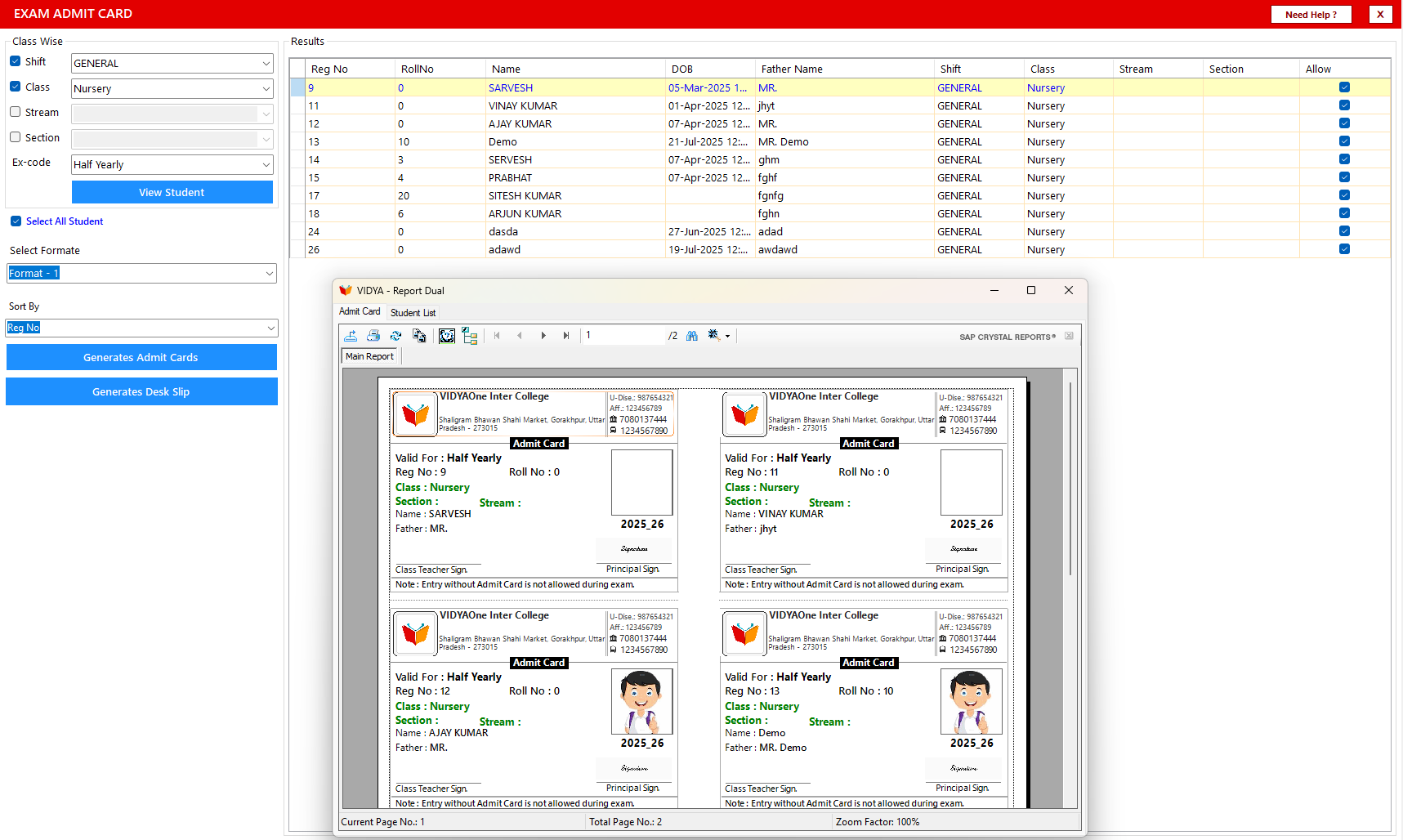
Generating admit cards is quick and professional with VIDYAOne School Software. Staff can select the class, stream or section, load the student list and choose from available admit card formats. The system pulls the required student information, exam details and school header automatically.
With one click, clean and ready-to-print admit cards are generated. Schools can also print desk slips for seating arrangements during exams. Each admit card includes the student's name, roll number, class, exam details and space for signatures, helping schools manage exam sessions smoothly and without delays.
See VIDYAOne in Action
Explore the complete school management software in real time. Take a guided Virtual Tour or book a Live Demo to see how it works for your school.
Manage School Holidays Easily
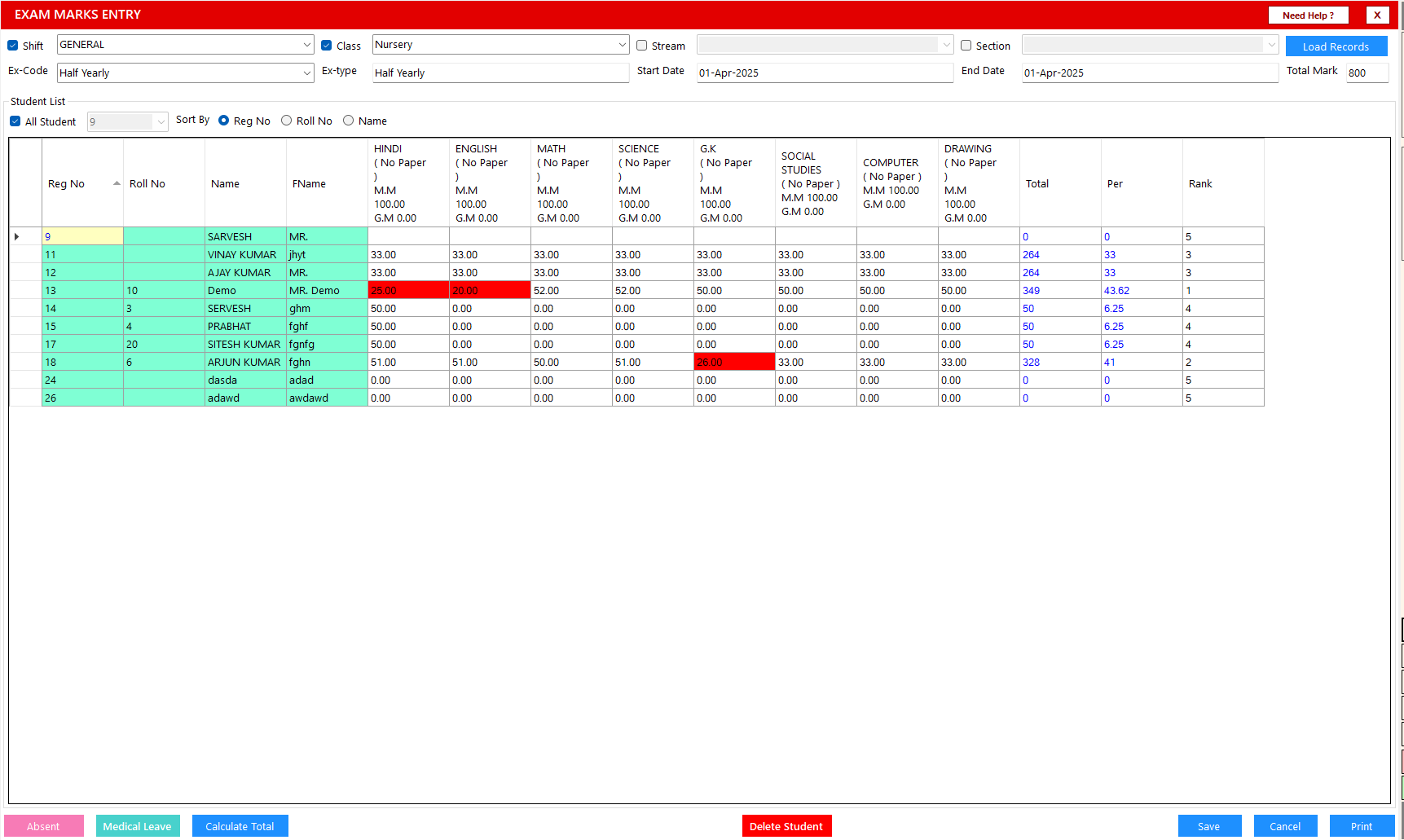
VIDYAOne School Software makes subject-wise marks entry easy for teachers. After selecting the class, exam code and date range, the system loads all students along with their exam subjects. Marks can be entered directly in the grid, and totals and percentages are calculated instantly.
Teachers can also mark students as Absent or on Medical Leave with one click. Sorting options allow the list to be arranged by name, roll number or registration number for faster entry. Once all marks are filled in, the data is saved securely and is ready for report card preparation.
Need immediate help?
Connect with us directly while you wait for onboarding.
Grade Marks Entry for CBSE, ICSE and State Boards
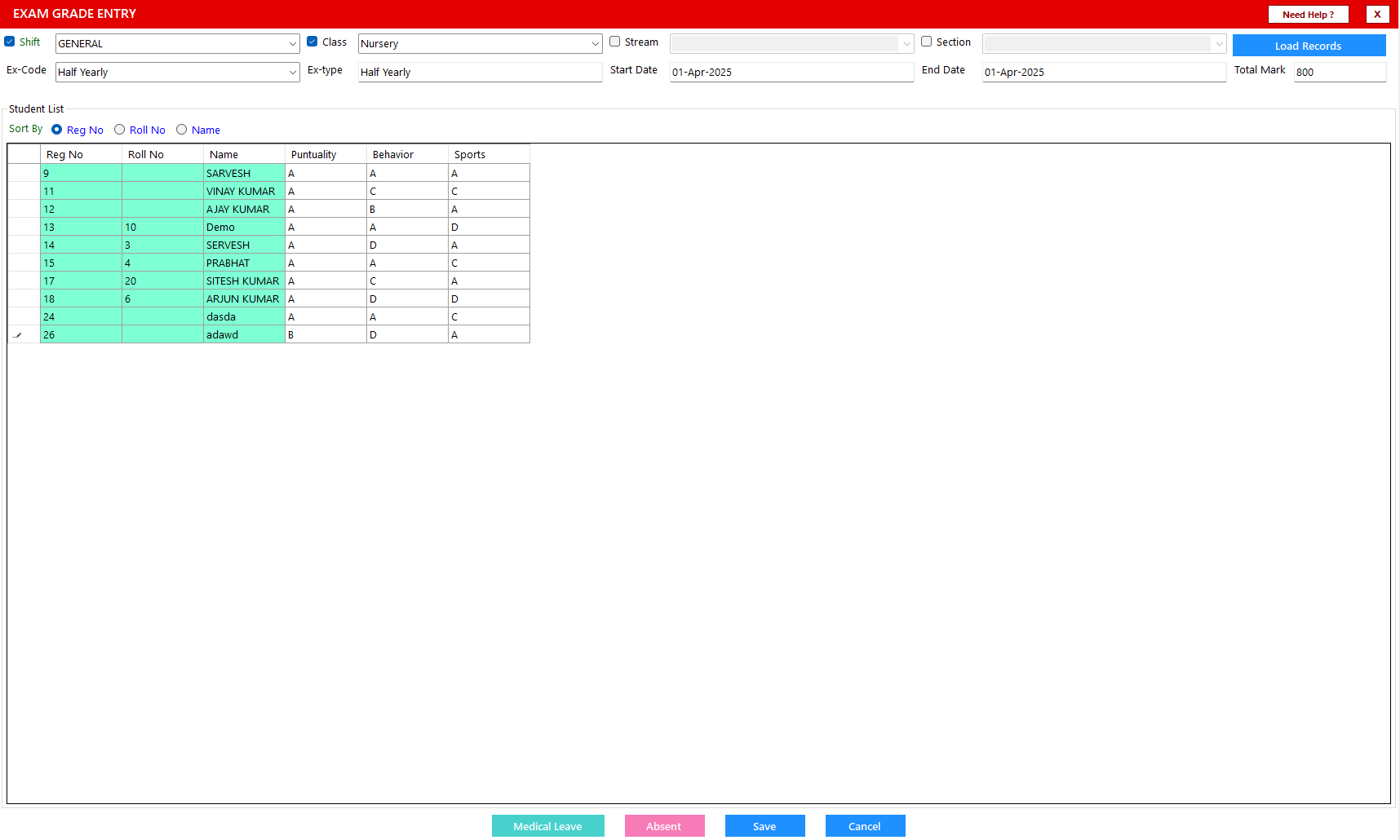
For schools following CBSE, ICSE or state-board guidelines, VIDYAOne School Software provides an easy way to record co-scholastic grades. Teachers can enter grades for areas such as punctuality, behavior, sports or other skill-based indicators defined in the exam structure.
The grade entry screen displays all students clearly, allowing teachers to update grades one by one or review the entire list at once. A clean layout keeps the process error-free and aligned with each board’s grading requirements. Grades are saved instantly and reflected automatically in the student’s final result.
1,500+
Schools Using VidyaOne
10,000+
Staff Trained
150K+
Issues Resolved
550K+
Feedback Calls