

Subject Assignment, Easy Student Promotion and Ready U-DISE Reports
Managing the academic year becomes much simpler when your system takes care of routine but important processes. VIDYAOne School Software helps you assign subjects, promote students to the next class and download complete U-DISE-ready records without any manual effort. The entire workflow stays organised, accurate and quick, so your team can start the new session with confidence.
With everything in one place, you avoid scattered files, repeated data entry and the stress of last-minute reporting. The software guides you step by step, keeps your records clean and ensures every update reflects correctly across the system. Whether you are preparing for promotions or compiling reports for the new academic year, VIDYAOne School Software helps you complete your tasks in minutes.
Subject Allotment Made Simple
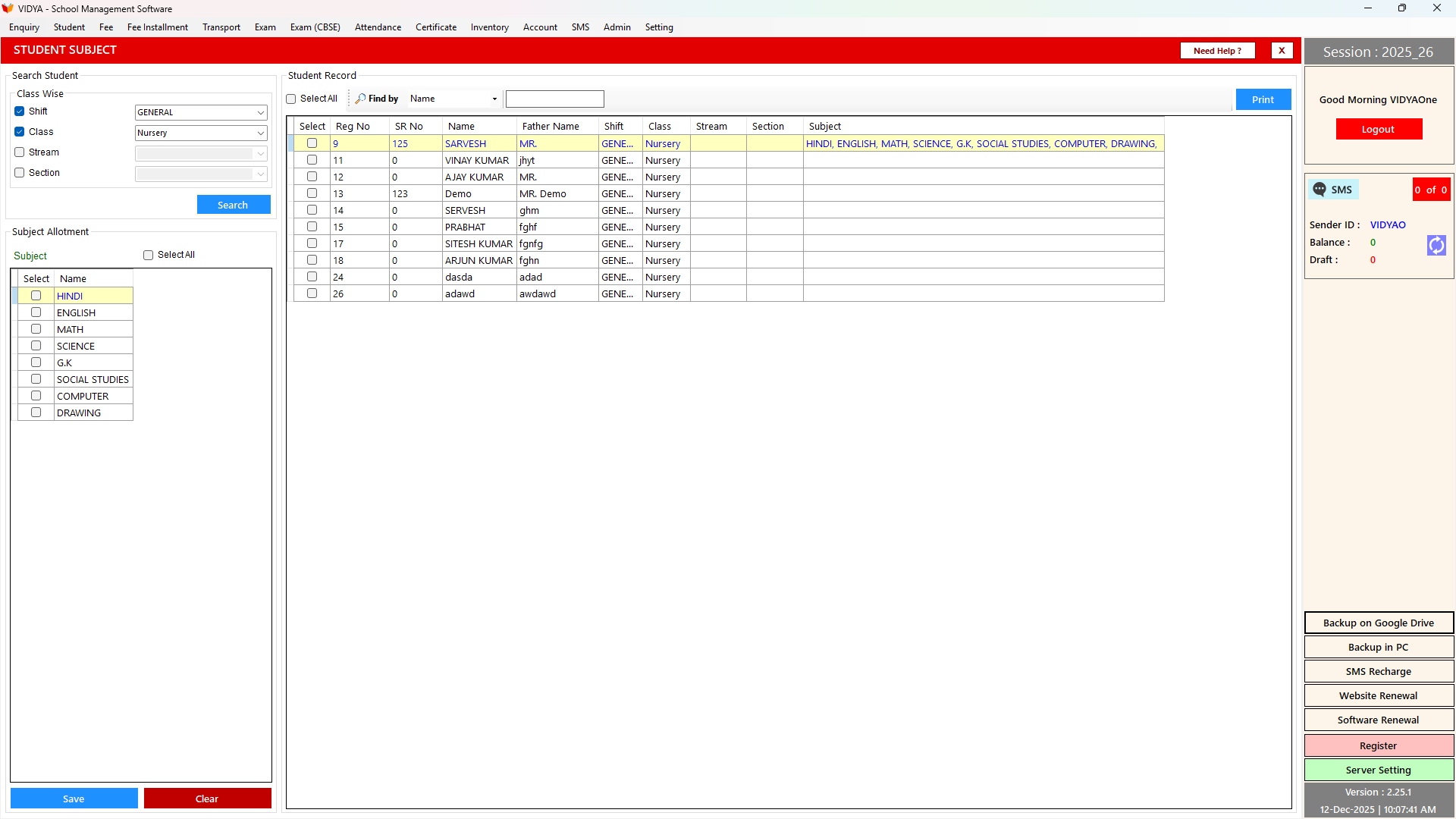
Assigning subjects to students is often time-consuming, especially when dealing with multiple classes and optional subjects. VIDYAOne School Software makes this process smooth and error-free. You simply load the list of students, select the subjects you want to assign and save the configuration. The system updates everything instantly, so there is no need to track separate records or manually cross-check entries.
The subject allotment tool works well for both core subjects and optional selections. It gives you a clear view of each class, helping teachers and administrators plan the academic structure more efficiently. Once the subjects are allotted, teachers have accurate data for attendance, assessments and report card preparation. This reduces confusion and ensures that every student is placed in the correct subject group before the session begins.
See VIDYAOne in Action
Explore the complete school management software in real time. Take a guided Virtual Tour or book a Live Demo to see how it works for your school.
Promote Students to the Next Class
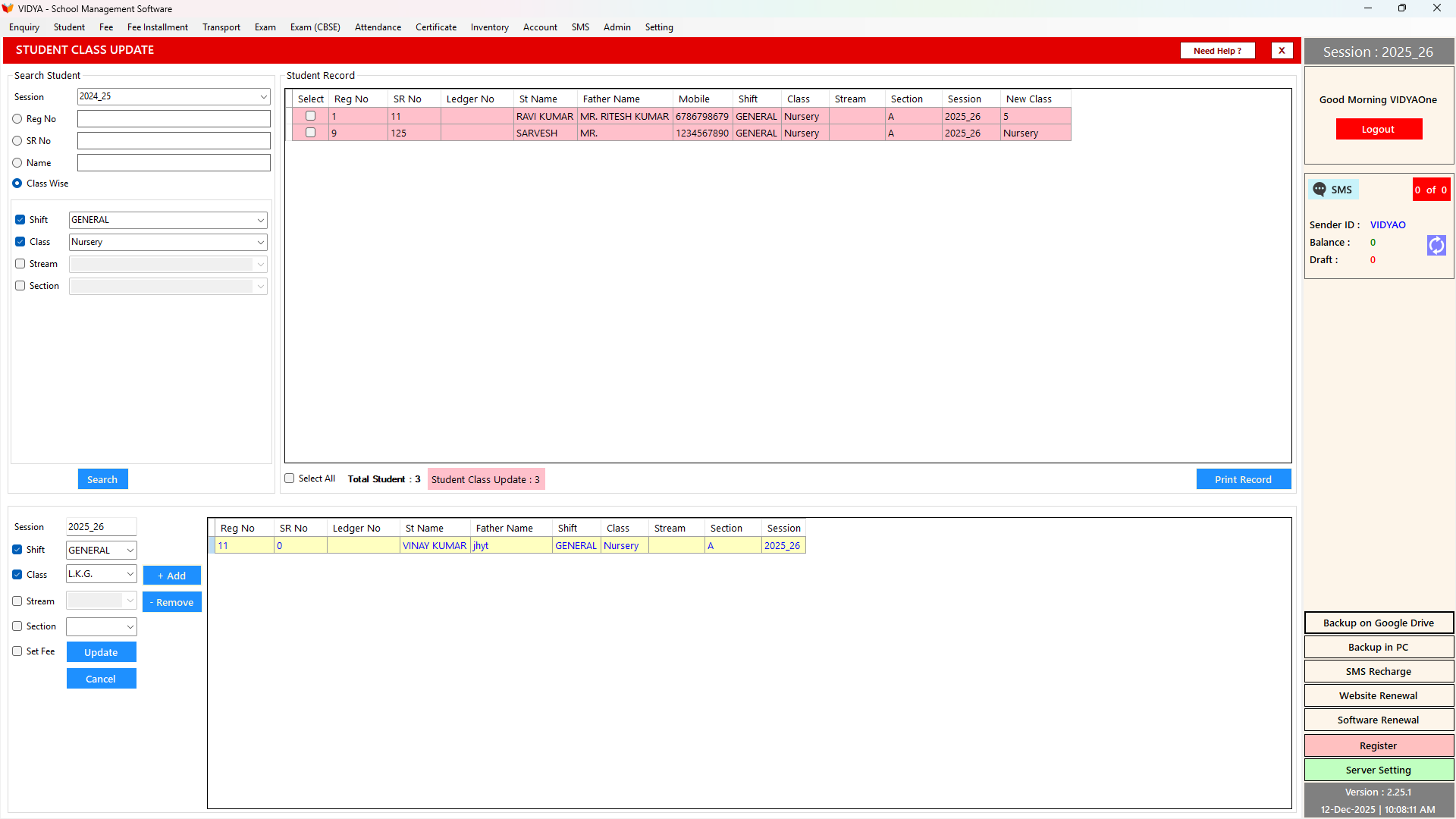
Promoting students at the end of the year usually involves checking class lists, updating records and verifying each promotion manually. VIDYAOne School Software makes the entire process much easier. With a few clicks, you can shift students to their new class and apply the updates in bulk. The software shows a clear summary of the changes, so you can review everything before finalising the promotions.
This feature saves time for administrators and ensures complete accuracy. It eliminates manual data entry mistakes and creates a smooth transition from one session to the next. Once the promotions are completed, all related modules like attendance, fees and academics automatically reflect the updated class structure.
Need immediate help?
Connect with us directly while you wait for onboarding.
Generate, Print and Export Student Records
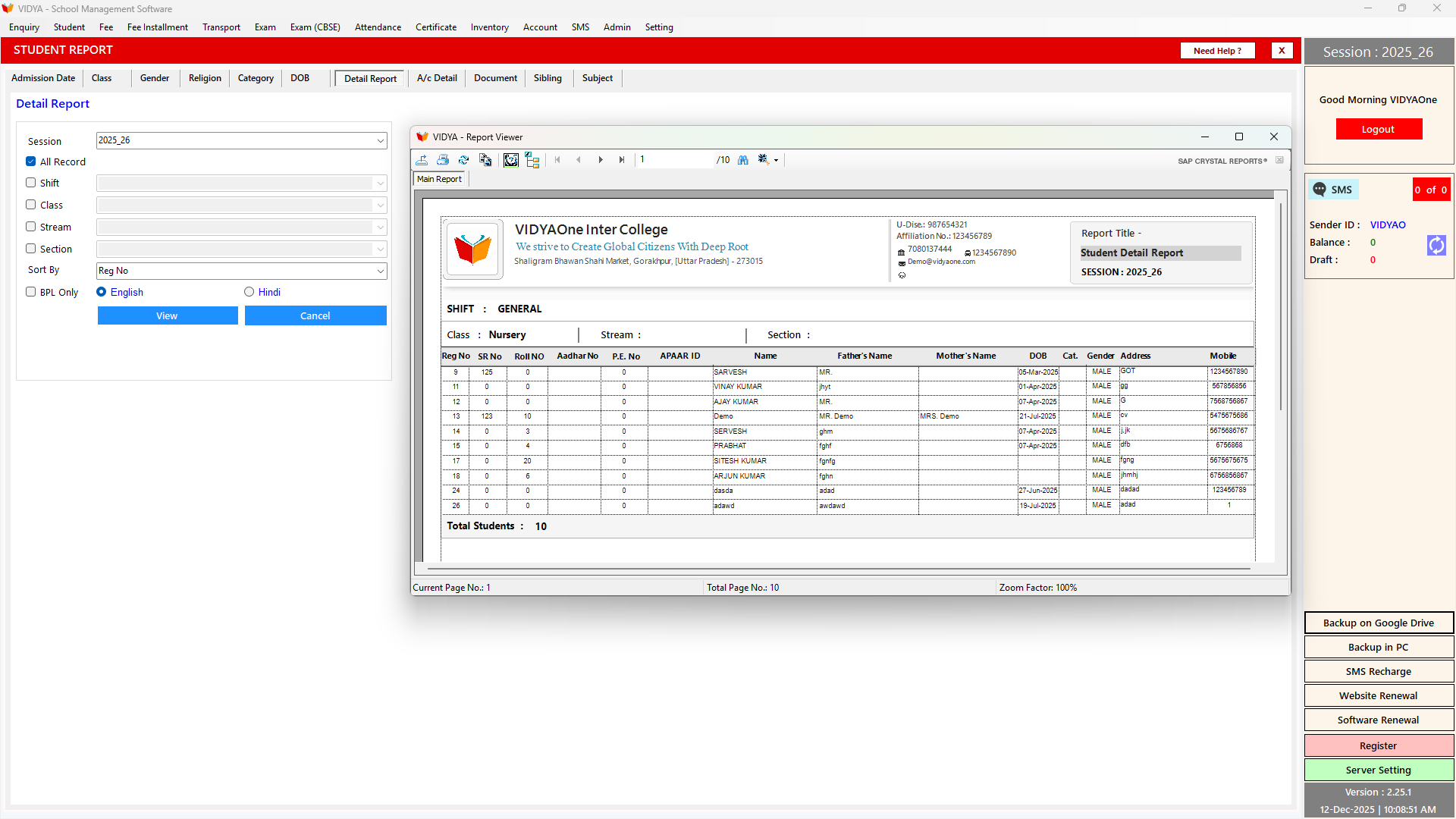
Accurate student data is essential for school operations and official reporting. VIDYAOne School Software allows you to generate detailed student records using filters like admission date, class, gender, category and other key fields. You can instantly view the results on screen, print neatly organised report sheets for internal use or export complete datasets in formats suited for U-DISE submissions.
The system ensures the data is well structured and ready whenever the school needs to prepare documentation or submit official information. It also reduces the chances of errors because the reports pull information directly from the central student database. Instead of compiling data manually, you get clean, reliable and ready-to-use records within seconds.
1,500+
Schools Using VidyaOne
10,000+
Staff Trained
150K+
Issues Resolved
550K+
Feedback Calls